
Animate Photos: What Can Actually Move in a Still Frame
To animate photos well is not a matter of picking the right tool — it is a matter of what your subject is made of. Liquids, fabric, hair and light have motion budget; brick, text and architecture do not.

On this page
# Animate Photos: What Can Actually Move in a Still Frame
To animate photos well, you have to read the still frame as a set of materials rather than as a scene. Some materials carry plausible motion almost for free — hair lifts, water ripples, fabric shifts. Others actively resist it: brick does not breathe, a printed logo does not sway, a building's vertical lines do not bend. The difference between a clip that looks filmed and a clip that looks melted is usually not the tool, and not the prompt, but whether you asked the right parts of the frame to move.
Every still frame has a motion budget
A single photo contains a limited amount of information about how things behave when they move. A curtain photographed mid-billow tells the model that there is air moving and that cloth is soft. A curtain photographed hanging straight tells the model almost nothing, so any movement it invents is a guess.
This is what makes one photo easy to animate and the next one impossible, even at the same resolution with the same prompt. The motion budget is set at capture time, not at generation time. You can spend it, but you cannot add to it.
Three things raise a photo's motion budget before you ever press generate:
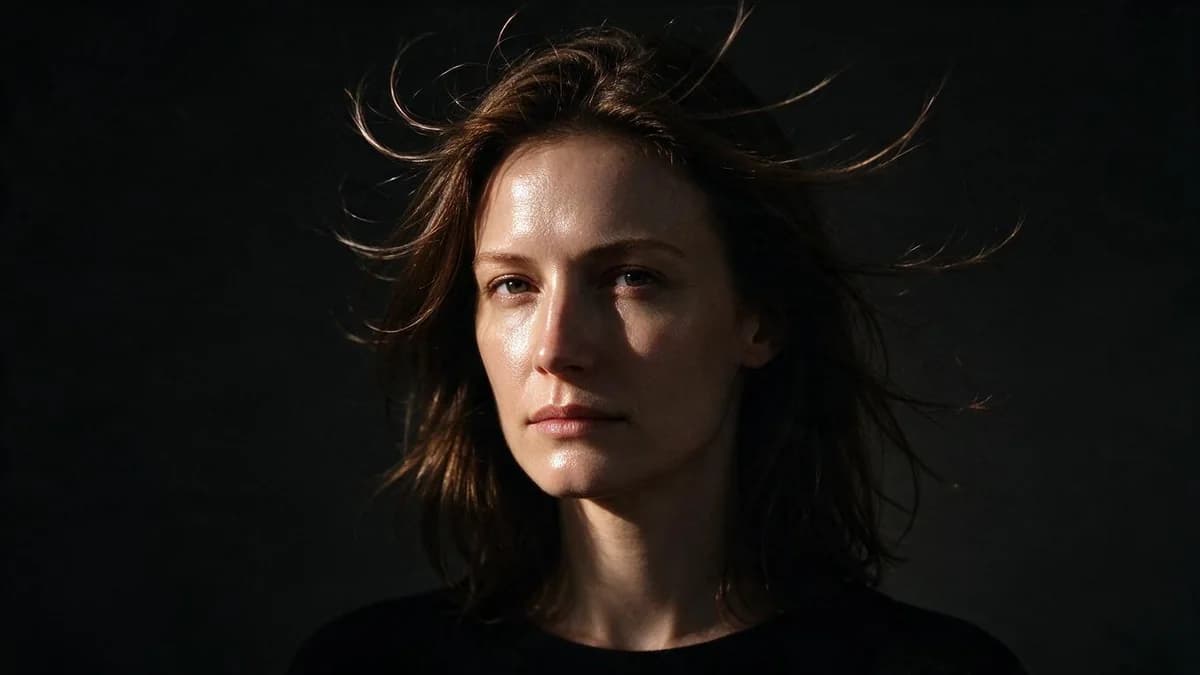
- Something caught mid-motion. Hair slightly lifted, cloth with a fold in it, water with a visible surface pattern, smoke with a direction.
- A clear light source. Directional light gives the model something to move across surfaces. Flat light has nothing to animate.
- Depth separation. A subject against a distant, soft background has room to move. A subject pressed against a detailed wall has to move in place.
What moves well
| Material | Why it works | What to ask for |
|---|---|---|
| Hair | Soft, high-frequency, no fixed geometry | "hair lifts slightly in a light breeze" |
| Fabric, curtains, flags | Flexible, and folds encode direction | "the curtain sways once to the right" |
| Water: sea, rivers, puddles | Naturally in motion, pattern gives the model data | "gentle ripples spread across the water" |
| Smoke, steam, mist | Directionless and forgiving | "steam drifts upward and to the left" |
| Fire, candles | Self-animating, tolerant of imprecision | "the flame flickers, small and continuous" |
| Trees and foliage | Fine detail, no rigid expectation | "leaves move in a light wind" |
| Light and reflections | Purely a brightness change | "sunlight shifts across the wall, slowly" |
| Crowds in the distance | Small, unresolved, no identity to lose | "the crowd at the far end of the street shifts" |
The common property: none of these have a shape that a viewer can check against memory. Nobody knows exactly how a particular wave should look, so almost any plausible wave passes.
What does not move
| Material | Why it fails | What happens instead |
|---|---|---|
| Architecture, brick, concrete | Rigid, known geometry, straight lines | Walls breathe and lines bend |
| Text, logos, signage | Glyphs are not preserved by generation | Letters crawl and dissolve |
| Products with hard edges | Symmetry and straightness are checkable | Edges wobble, perspective shifts |
| Furniture and interiors | Rigid, and usually the frame's anchor | Chairs drift, floor lines warp |
| Vehicles close up | Wheel geometry, panel gaps | Panels ripple, wheels smear |
| Screens and printed graphics | High-contrast flat detail | Content changes frame to frame |
| Anything at the frame edge | Least contextual information | Edge distortion pulls inward |
If your subject is in the right-hand column, the win is not a better prompt — it is a different frame. Add a moving element in front of the rigid subject, or accept that the shot should be static with a moving camera instead of a moving subject.
Faces: micro-motion only
A face can animate, but the budget is small and specific. What reads as alive:
- Blink, once or twice in five seconds
- A slight head turn, under about fifteen degrees
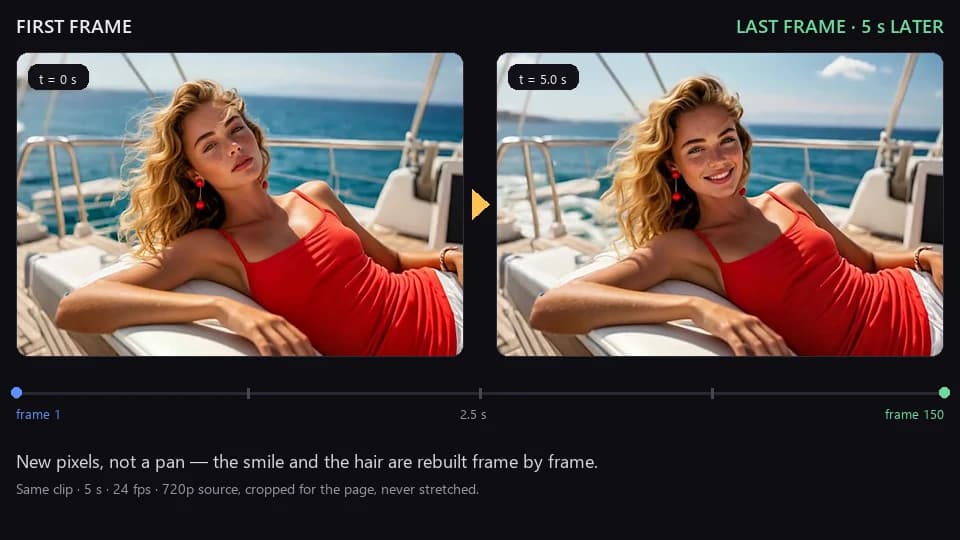
- A small smile forming, not a full expression change
- Hair movement at the edges of the frame
- Breathing, visible as a shoulder rise
What breaks a face immediately: turning past profile, opening the mouth wide, a full expression change mid-clip, or any motion that requires the model to invent the far side of the head. Identity survives small motions and fails on large ones — the same rule as any other overlap problem.
This is why portrait clips are usually shot at five seconds with a locked camera. The entire motion budget goes into the face, and nothing is spent on the frame.
Reading a frame in ten seconds
Before you generate anything, look at the photo for ten seconds and answer four questions. The answers decide whether this frame is worth an attempt.
- What in this frame was already moving when the shutter fired? Hair, cloth, water, smoke, foliage. If the answer is nothing, the model has to invent motion and will usually invent it in the wrong place.
- Where is the light coming from, and what is it hitting? Directional light gives the model a gradient to animate across. Flat frontal light gives it nothing, and a clip generated from flat light reads as a still image with noise.
- What is the largest rigid object in frame? That object is the failure point. Either shrink it, blur it, or accept that it will be the first thing to warp.
- Is there anywhere for the subject to move into? Space in the frame is motion budget. A subject cropped tight on all four sides can only move by distorting.
A frame that answers all four well will produce a usable clip on the first or second attempt. A frame that fails two of them will not produce one on the tenth, and no amount of prompt rewriting changes that.
Matching motion to subject type
The right amount of motion depends entirely on what is in the frame.
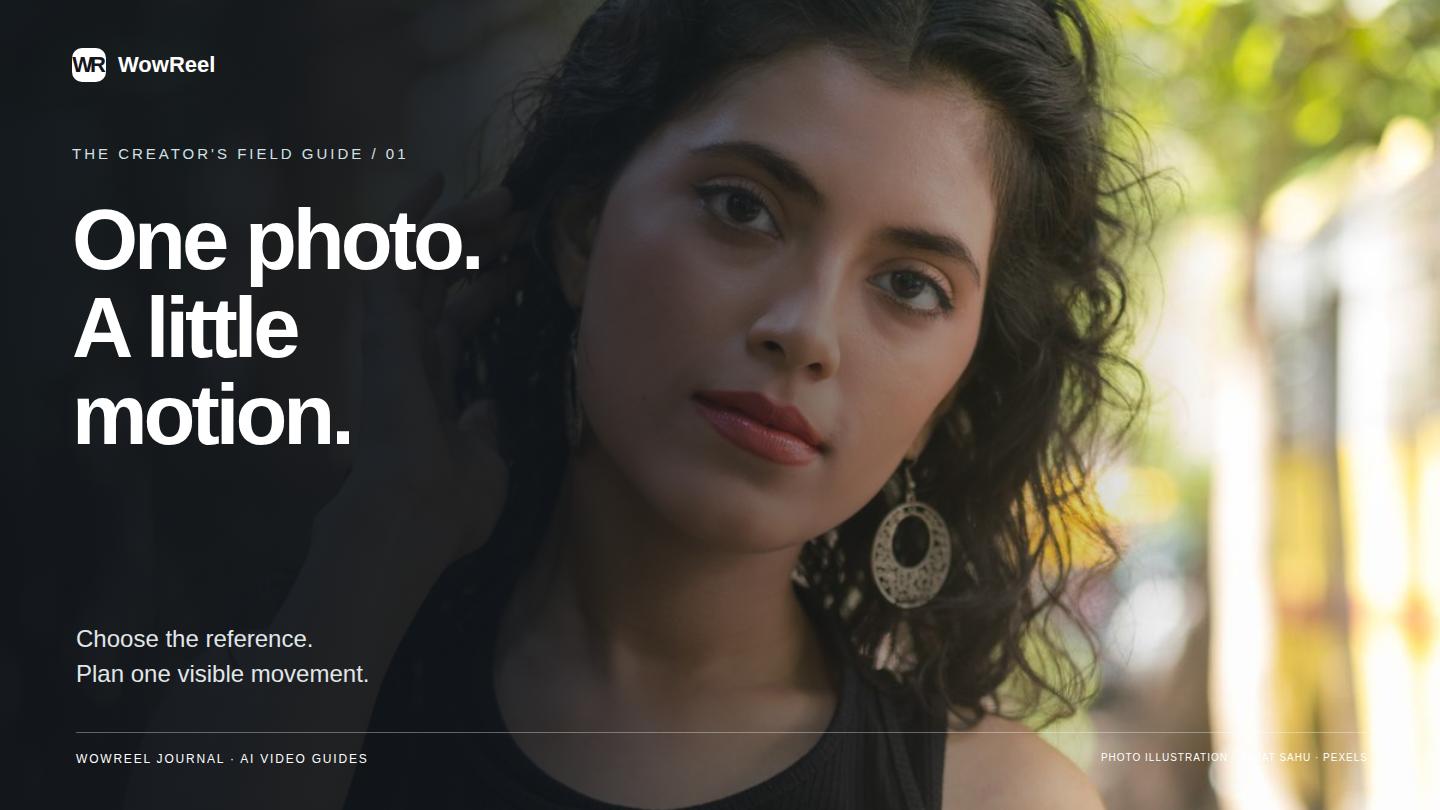
People. Five seconds, locked camera, one micro-motion. Head turn plus blink is already two; pick one. Full-body shots can afford a step or a shift of weight, but then the face should stay still.
Pets and animals. More forgiving than people, because fur and ears are high-frequency detail. Ear flicks, tail movement and head tilts all read well. Avoid asking for a walk cycle — leg geometry is rigid and known.
Products. The subject is rigid, so the motion has to come from the environment: light sweeping across a surface, a reflection moving, a background element drifting. Rotating a product is a camera move, not a subject move, and camera moves on rigid objects are where warping shows.
Landscapes and cityscapes. The most rewarding category. Clouds, water, foliage, distant traffic, and light all move, and none of them have checkable geometry. A ten-second landscape is often easier than a five-second portrait.
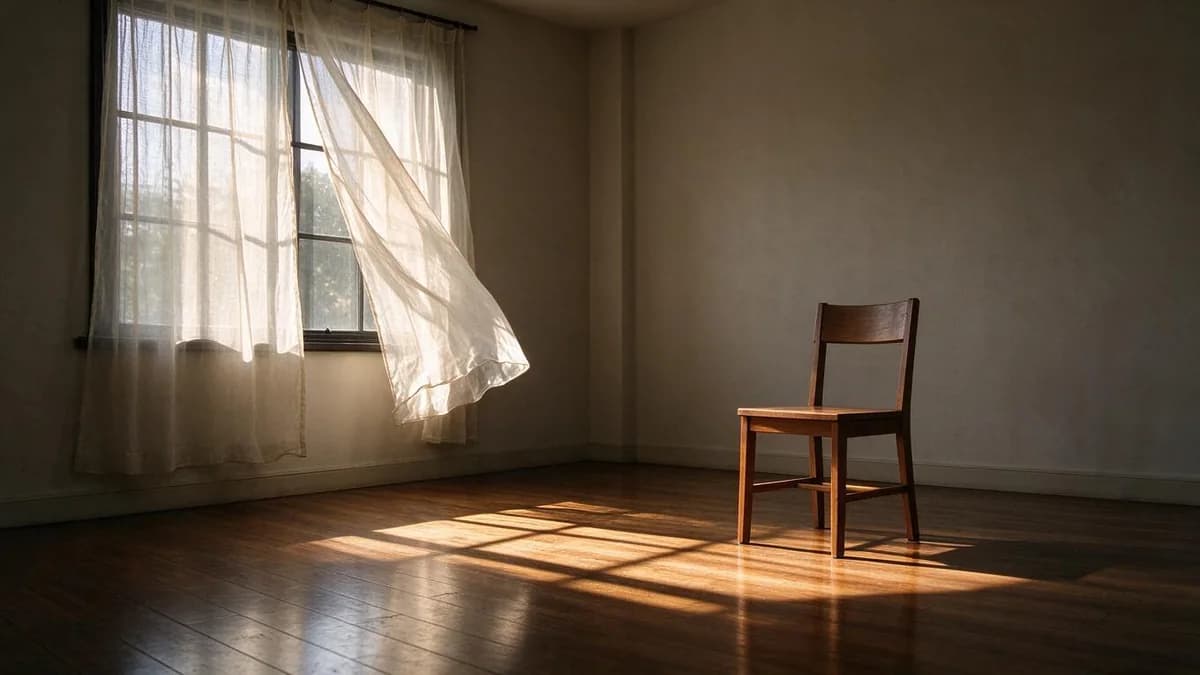
Interiors. Hardest of the common categories. Almost everything is rigid. The motion budget has to come from a window, a curtain, a candle, steam from a cup, or light from outside.
The three inputs that raise your hit rate
Frame for movement. Leave space in the direction the motion will go. A subject pressed to the frame edge has nowhere to move, and edge distortion is the first artifact to appear.
Simplify what should not move. If the background is a detailed interior, blur it. The model spends its attention on detail, and background detail is detail you did not ask to animate.
Write one motion, with a direction and a speed. "Hair lifts slightly in a light breeze from the left" specifies subject, magnitude, cause and direction. "Alive, moving, atmospheric" specifies nothing.
Choosing a photo animator
Most tools in this category look identical on a landing page, because the landing page shows the one clip that worked. What separates them shows up on the second attempt, when you need a specific element to move and the result is not what you pictured. Six questions sort the field faster than any feature list.
| Question | Why it matters | Weak answer |
|---|---|---|
| Can you name the element that moves? | Preset styles move the whole frame; a text instruction moves one thing | A row of style thumbnails and no prompt box |
| What is the duration ceiling? | Anything under five seconds cannot hold a head turn plus a blink | "Short clips" with no number |
| Does it keep your composition? | Tools that recompose silently crop or reframe, and your framing was the point | Output aspect differs from input |
| What happens with two people? | Identity swap is the first failure in a group shot | No mention of multiple subjects |
| What do you get back? | A GIF and a 1080p MP4 are not interchangeable | Only a looping preview, no download format |
| Can you re-run the same settings? | Reproducibility is what turns a lucky clip into a workflow | Every attempt randomises silently |
Two of these deserve more weight than the rest. Naming the element is the difference between an animator and a filter: if the only control is a style button, you cannot ask for the curtain to move while the chair stays still, and that instruction is most of the craft. Reproducibility decides whether you can build on a result. A tool that preserves your source, your sentence and a seed lets you change one variable at a time; a tool that re-randomises everything turns tuning into gambling.
A useful test costs one clip: upload a photo with one soft element and one rigid element — a portrait with loose hair against a brick wall — and ask for the hair only. If the wall stays straight, the tool takes instructions. If the wall breathes, it is applying a style to the whole frame and you will spend your time fighting it.
A repeatable process
- Read the photo as materials. List what in the frame is soft, fluid, or lit — that is your motion budget.
- Pick the single element with the largest budget. Hair on a portrait, water in a landscape, steam indoors.
- Write one sentence for that element. Subject, direction, magnitude, camera static.
- Generate at five seconds and the lowest resolution on offer. You are judging whether the chosen element moves plausibly, nothing else.
- If the chosen element moves well but something else warps, remove that something else from the frame rather than adding instructions about it.
- Re-run the winner at full resolution with the identical sentence. Change only resolution.
- Keep the source photo. A frame with a large motion budget will carry every clip you make from it.
FAQ
Can any photo be animated? Any photo can be processed. Whether the result looks filmed depends on the motion budget in the original frame — soft, lit, mid-motion subjects work; rigid, flat, static ones do not.
Why does my photo turn into liquid? The model was asked to move something rigid. Reduce motion strength, or point the motion at a soft element instead of the whole frame.
What is the best kind of photo to animate? A landscape with clouds or water, or a portrait with directional light and loose hair. Both have large motion budgets and nothing rigid in the foreground.
How long should the clip be? Five seconds for anything with a face. Ten seconds is safe for landscapes where every moving element is soft.
Should the camera move? Only after the subject motion works. A static camera spends the entire budget on the subject; a moving camera splits it between subject and frame, and the frame is usually the part that breaks.
Does resolution matter for animation quality? It matters for face detail and for how quickly artifacts appear at frame edges. Draft low, publish high.
Can I animate a product photo without it warping? Yes, if the motion comes from light or environment rather than from the product. A shifting reflection reads as alive; a rotating product reads as broken.
Next
How to Make AI Videos covers choosing a route before a tool, How to Turn a Photo into a Video goes deeper on source selection, and AI Video Prompt Guide covers phrasing motion sentences. For choosing the output frame, Aspect Ratios and Multiple Inputs has the numbers.
Put a photo with a large motion budget into the templates page and see which element moves first.
The checks in this article are easier to run than to describe: the image to video tool takes one still and returns a five-second clip, which is usually enough to see whether the frame holds up.