
Portraits that come alive
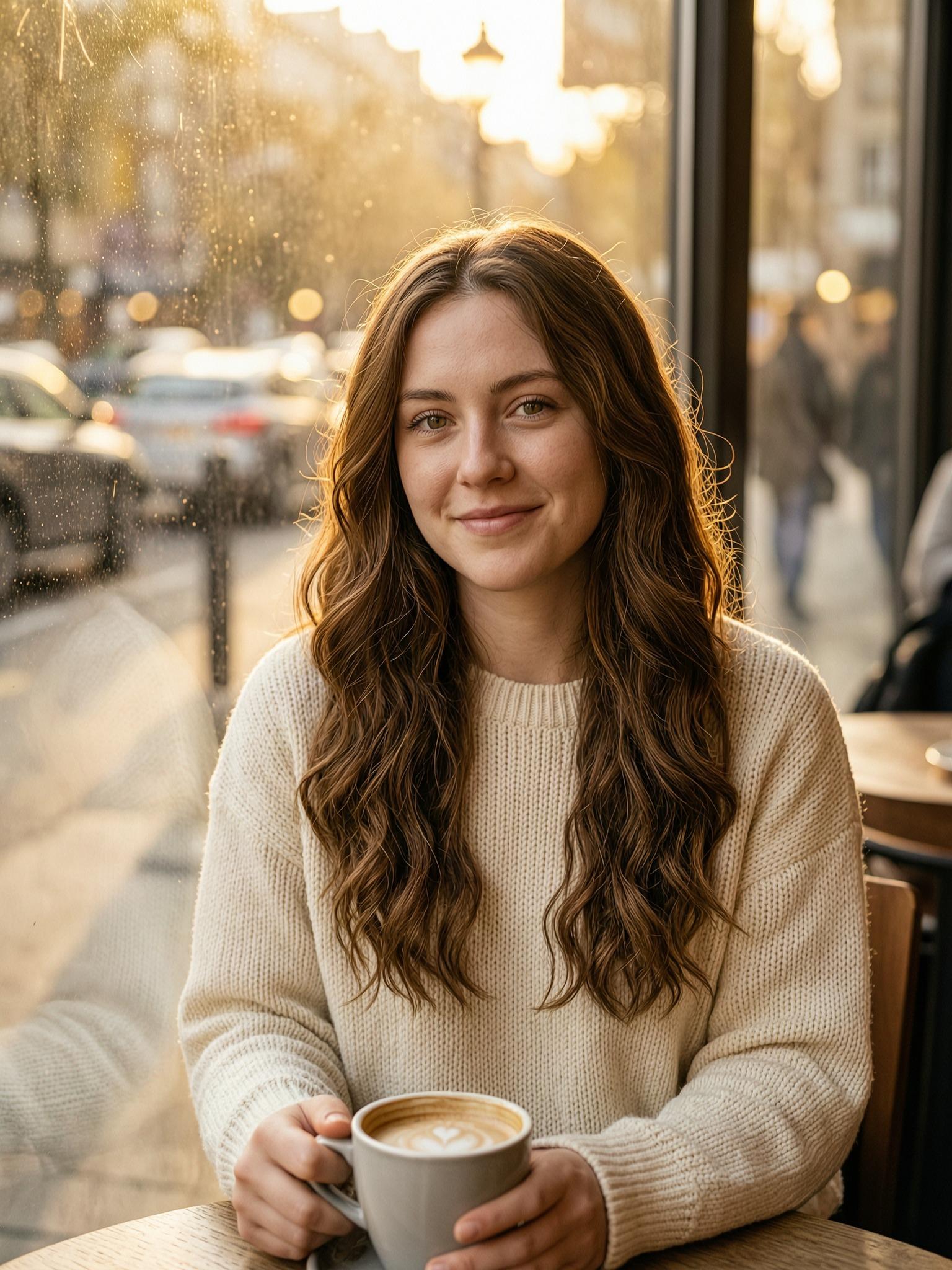
Give a still portrait a gentle smile, a slow blink or hair moving in the wind, and share it as a short clip that feels warmer than a photo.

AI image to video on WowReel starts with a picture you already have. Upload a portrait, a pet photo, a landscape or a product shot, and the AI uses it as the first frame of a 5 or 10 second clip, adding natural motion such as a smile, wind in the hair or a slow camera move. You can describe the motion in a sentence or leave the description empty and let the AI decide. Want more control? Add an end frame so the shot finishes where you choose, or switch to multi-image mode and use up to three reference pictures. Pick 720p or 1080p, then leave the page while it renders. The finished clip waits in My Creations, ready to download for stories, reels or a message to friends.
Single image animates one photo from its first frame. Start & end frame takes two pictures, so the video begins on the first and finishes on the second. Multi-image accepts up to three reference pictures, the first one required, for scenes built around the people or pets in them. Choose the mode that matches how much control you want.

Add a sentence for something specific, such as a slow push-in, a gentle smile or an orbiting camera, up to 2,000 characters. In Single image and Start & end frame modes it is optional, so a photo alone works too. Hint cards such as Gentle smile, Wind in the hair and Pet comes alive fill it in with one tap.
Choose 5 or 10 seconds and 720p or 1080p. In Single image and Start & end frame modes the video follows the shape of your photo, so a vertical photo is a good start for stories and reels. Multi-image mode lets you pick 9:16, 16:9 or 1:1 instead.
A 5-second 720p clip starts at 50 coins. Longer clips and 1080p cost more, and the exact price appears before you confirm. Coins are held while the clip renders and only charged once it is ready; if generation fails they come back automatically, unless content review blocks the result.
Give a still portrait a gentle smile, a slow blink or hair moving in the wind, and share it as a short clip that feels warmer than a photo.
Let your dog or cat tilt its head and blink in a cute little clip you can send to family and friends.
Add a slow camera push-in to a product photo, a café corner or a travel view for a social post, a launch teaser or a shop update.
Use Start & end frame to move from one image to another, such as day to night, and see how the AI connects the two.
Choose Single image, Start & end frame or Multi-image, then upload JPG, PNG or WebP photos up to 10 MB each, short side 300 px or more.
Choose 5 or 10 seconds and 720p or 1080p, add an optional sentence about the motion, and check the coin price shown before you generate.
Log in and confirm. You can leave the page and you will be notified when it is ready. Download it from My Creations within 7 days.
Your photo becomes the opening frame, so the video starts from your own picture and the AI adds movement from there. Faces, hands and small details can shift as things move, and results differ between runs. Your photos are used only to create your result, are not used to train AI models, and are deleted after 7 days.
Yes. Start & end frame uses two photos, one for the first frame and one for the last. Multi-image accepts up to three reference pictures, with the first required, and works best with one person or one pet in each. For Multi-image, write a short description and refer to the pictures as image 1, image 2 and image 3 in upload order.
In Single image and Start & end frame modes it is optional: leave it empty for natural motion, or write what should happen, up to 2,000 characters. In Multi-image mode, please add a sentence about the action. A single clear movement, such as slowly turning and smiling, is a good place to start.
A 5-second clip at 720p starts at 50 coins. A 10-second clip or 1080p costs more, and members get a discount on every creation. You see the exact price before you generate. If a generation fails, the coins return automatically without contacting support, unless content review blocks it.
You own your results and may use them for any lawful purpose, including commercial use, as long as you have the rights to the photos you upload and the clip does not infringe anyone else's rights. AI output can be unexpected or similar to what others get, so review each clip first. Results are kept for 7 days, so download what you want to keep.
AI Image to Video
 She tilts her head slightly and smiles warmly, then lifts the latte toward her lips; a light breeze moves her hair, steam curls up from the cup and sunlight flickers across her face. Slow cinematic push-in, natural motion, film look.
Upload a photo and turn it into a short video with natural motion. Add an end frame to control where the shot finishes. Your result will appear here after you click Generate.