
Portrait to illustration
Turn a selfie or portrait into an anime frame, an oil painting or a watercolor-style picture for an avatar, a gift or a profile page.

AI image to image starts from a photo you upload and changes it according to a short written description. Ask for a hand-drawn anime look, an oil painting, a snowy winter version of the same scene, a studio-style product shot, a new outfit or a different setting. Because your photo is the reference, the result can stay close to the pose, composition and subject while the style, clothes or surroundings change. Say what to keep as well as what to change: the built-in example turns a photo into an anime illustration while keeping the pose, hair, sweater and cafe window. Choose 1K or 2K and a ratio of 1:1, 3:4, 9:16 or 16:9, then generate up to four versions in one go and keep your favorite.
One description can restyle the whole picture or just part of it. Ask for an anime illustration, an oil painting, a winter version of the scene, a new outfit or a different location, and the AI redraws your photo. Hint cards include Anime illustration, Oil painting, Studio product shot and Snowy winter scene.
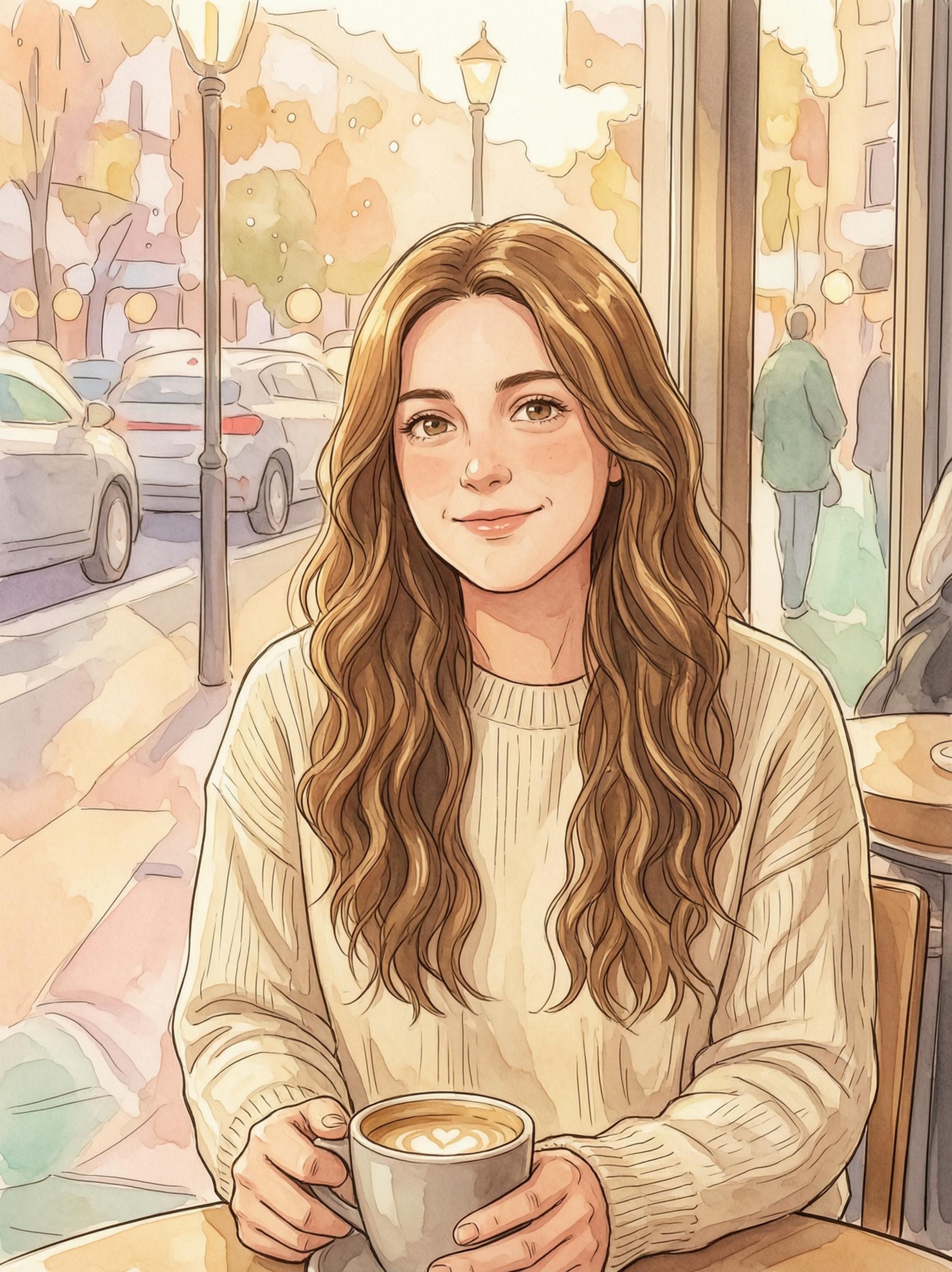

The description is required and can be up to 2,000 characters, which leaves room to say what should stay the same: the pose, hairstyle, clothing or background. A clear brief helps the AI follow you, though results can still vary, so compare the versions.
Generate 1 to 4 images in one run (the default is 1) and pick your favorite instead of rerunning one at a time. The price is per image, from 8 coins at 1K, and the total is shown before you confirm.
Choose 1:1 for feeds, 3:4 for portrait posts, 9:16 for stories and wallpapers, or 16:9 for covers and widescreen, in 1K or 2K quality. A 2K image costs more coins than a 1K one.
Turn a selfie or portrait into an anime frame, an oil painting or a watercolor-style picture for an avatar, a gift or a profile page.
Test a new outfit or color mood on the same photo before you plan a shoot or buy anything, and compare up to four versions.
Place a product photo in a studio-style scene or a seasonal backdrop such as snow for a shop page or social post.
Turn a summer photo into a snowy winter scene or give a cozy snapshot golden-hour light for a holiday card or themed post.
Add one JPG, PNG or WebP photo up to 10 MB, short side 300 px or more. A photo with a clear subject works best.
Write what to change and what to keep, or tap a hint card. Then pick 1K or 2K, a ratio and 1 to 4 images.
Log in and confirm the coin price. You can leave the page and will be notified when it is ready. Download from My Creations.
You can describe new outfits, new settings or a completely different art style, or ask for a studio product look or a snowy version of the same scene. The AI redraws the picture from your description, so bigger changes move further from the original. Say what should stay the same.
That is what the description is for. Name what you want to keep, like the pose, hair and background, the way the built-in example does. The AI aims to follow it, but results can vary and small details may change, so generate a few versions and compare.
Image to Image uses one photo per generation, shown as Your photo. To get more results from that photo, set the number of images to 2, 3 or 4. If you want to create a picture from words alone, use Text to Image instead.
The price is per image: from 8 coins for a 1K image, and more for 2K. Four versions cost four times the single-image price, and the total is shown before you generate. Coins return automatically if a generation fails, unless content review blocks it.
Only upload photos you took or have the right to use. Every recognizable person in the photo must agree, and photos of anyone under 18 can only be uploaded by a parent or legal guardian. Photos of celebrities, public figures or strangers you have no rights to are not allowed.
AI Image Editor
Sample image Turn this photo into a hand-drawn anime film illustration: clean line art, soft watercolor background, warm golden afternoon light and gentle pastel colors. Keep her pose, long wavy hair, cream sweater and the cafe window setting.
Edit images using multiple visual references. Your result will appear here after you click Generate.